

Create GraphQL request
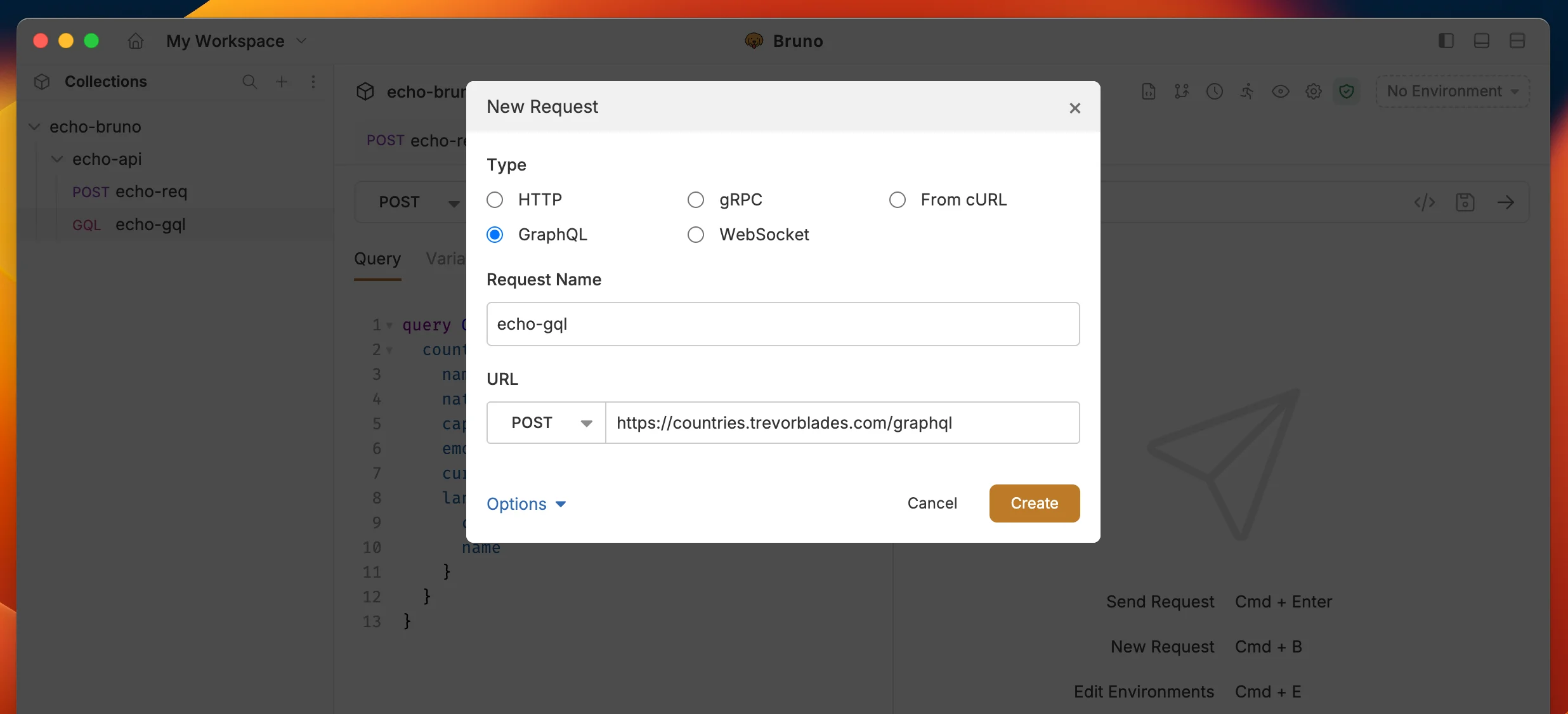
- Create new request from collection context menu (…) and select New Request.
- Select GraphQL as request type with:
- URL: The URL of the GraphQL endpoint.
- Name: The name of the request.
- Click on Create button.
GraphQL request with query
After creating the request:- Go to Query section where you can write and execute all your GraphQL queries
- You can also use the Variables section to pass variables to your query
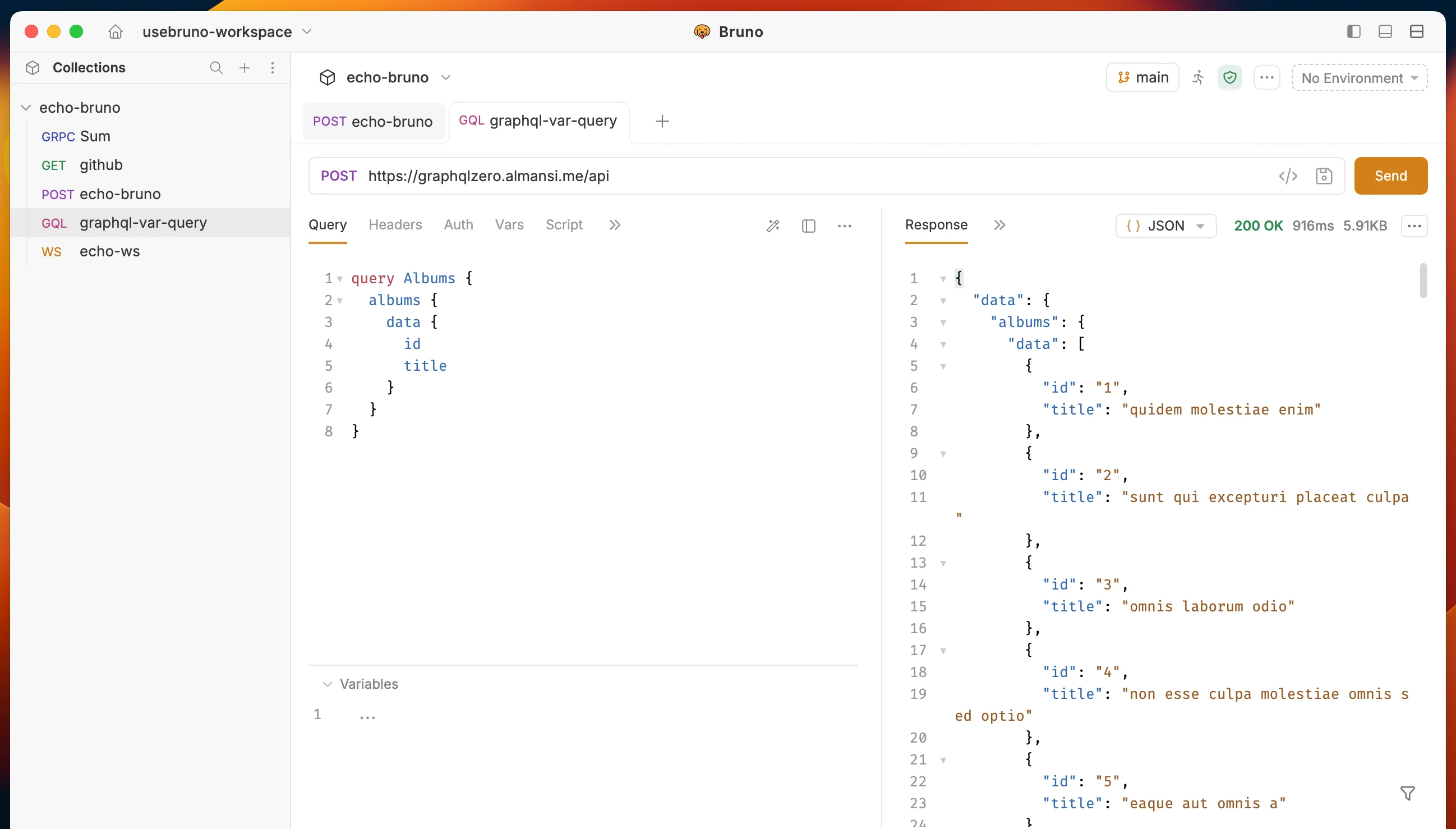
https://graphqlzero.almansi.me/api